

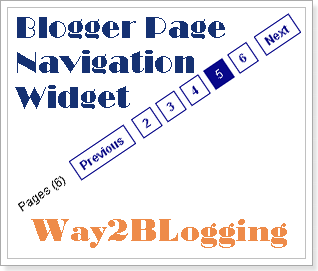
Page Navigation is awesome widget which enables page number navigation to visitors. You might have seen numbered page navigation on many Wordpress blogs. There is simple JavaScript which enables your older posts, newer posts & home links to numbers. Have you seen that older posts, newer posts & home links are boring feel.
See bellow for better preview
How to add this to Blogger layout:-
I am giving best customizing options to this widget
Note:-Choose colors for your convenience you feel good.
- Customize Settings Bellow
- Click on Generate Button
- Then finally Click on Add to Blogger Button to add as a Widget
for any Help regarding this widget and other blogger related problems via Comments


13 comments:
very Good Thanks....
View My Blog | http://vdshare.blogspot.com/
Thank-you for this info..it looks great on our page..
Dr. Neal
www.coindocere.com
Wow this worked like a charm thax so much.
Hey thax again. I notice that it works great on the homepage but sometimes when i click on different post it goes back to what i had. Is there a way to fix this?? Thax again.
Thank you..good tips...
using at my site now.. =)
Oh! Awek Comel
it works well but once i move the widget under the blog title it disappears...
is there a way to present this navigation bar under the title and above the post?
thanks!
asaf
it isnt work correct.
show only 72 page
i had 1000 post / pageCount=7
it must show 142 page
hello i am using this blog www.hackingbeast.in and it is not showing me the numbers page navigation please help me or mail me at ashrayanand@hackingbeast.in plz mail me please
@Ashray Anand
your page navigation is hidden by CSS
for this Search for below code
#blog-pager {
after that you will see the below CSS property, just remove it and save your template
display:none;
Harish,
I added this widget in my blog, but seems like nothing working..I added it just like you add a page element in layout, where should I place it to work right?? Please help..
http://a2zvegetariancuisine.blogspot.com
Hi. I cannot see the page navigation for my blog
Really appreciate your help.
http://whilyn.blogspot.com
how can we do http://khmerstar99.blogspot.com/
hhi
Post a Comment
Drop Your Comments, Suggestions And Questions Below.
To Be Notified Of Replies Click The 'Subscribe By Email' Link Below The Comment Form.
Do Not Add Links To The Body Of Your Comment As They Will Not Be Published.